Web stack debugging
Intro
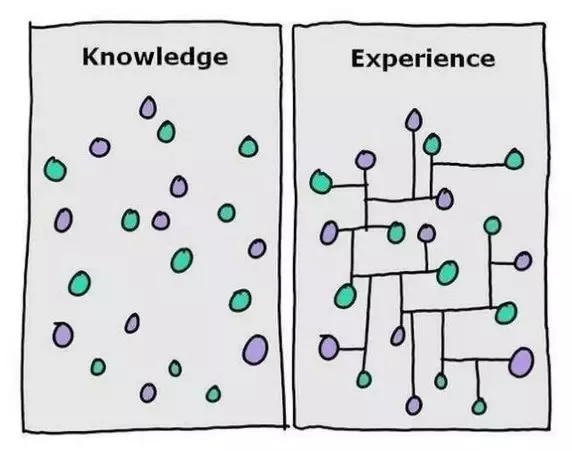
Debugging usually takes a big chunk of a software engineer’s time. The art of debugging is tough and it takes years, even decades to master, and that is why seasoned software engineers are the best at it… experience. They have seen lots of broken code, buggy systems, weird edge cases and race conditions.
Non-exhaustive guide to debugging
School specific
If you are struggling to get something right that is run on the checker, like a Bash script or a piece of code, keep in mind that you can simulate the flow by starting a Docker container with the distribution that is specified in the requirements and by running your code. Check the Docker concept page for more info.
Test and verify your assumptions
The idea is to ask a set of questions until you find the issue. For example, if you installed a web server and it isn’t serving a page when browsing the IP, here are some questions you can ask yourself to start debugging:
Is the web server started? - You can check using the service manager, also double check by checking process list.
On what port should it listen? - Check your web server configuration
Is it actually listening on this port? -
netstat -lpdnrun as
rootorsudoso that you can see the process for each listening portIt is listening on the correct server IP? -
netstatis also your friend hereIs there a firewall enabled?
Have you looked at logs? - usually in
/var/logandtail -fis your friendCan I connect to the HTTP port from the location I am browsing from? -
curlis your friend
There is a good chance that at this point you will already have found part of the issue.
Get a quick overview of the machine state
Youtube video First 5 Commands When I Connect on a Linux Server
When you connect to a server/machine/computer/container you want to understand what’s happened recently and what’s happening now, and you can do this with 5 commands in a minute or less:
whistoryshows which commands were previously run by the user you are currently connected to
you can learn a lot about what type of work was previously performed on the machine, and what could have gone wrong with it
where you might want to start your debugging work
topshows what is currently running on this server
order results by CPU, memory utilization and catch the ones that are resource intensive
dfshows disk utilization
netstatwhat port and IP your server is listening on
what processes are using sockets
try this on a Ubuntu machine
netstat -lpn
Machine
Debugging is pretty much about verifying assumptions, in a perfect world the software or system we are working on would be working perfectly, the server is in perfect shape and everybody is happy. But actually, it NEVER goes this way, things ALWAYS fail (it’s tremendous!).
For the machine level, you want to ask yourself these questions:
Does the server have free disk space? -
dfIs the server able to keep up with CPU load? -
w top psDoes the server have available memory?
freeAre the server disk(s) able to keep up with read/write IO? -
htop
If the answer is no for any of these questions, then that might be the reason why things are not going as expected. There are often 3 ways of solving the issue:
free up resources (stop process(es) or reduce their resource consumption)
increase the machine resources (adding memory, CPU, disk space…)
distributing the resource usage to other machines
Network issue
For the machine level, you want to ask yourself these questions:
Does the server have the expected network interfaces and IPs up and running?
ifconfigDoes the server listen on the sockets that it is supposed to?
netstatnetstat -lpd netstat -lpnCan you connect from the location you want to connect from, to the socket you want to connect to?
telnet to the IP + PORTtelnet 8.8.8.8 80Does the server have the correct firewall rules?
iptables, ufwiptables -L sudo ufw status
Process issue
If a piece of Software isn’t behaving as expected, it can obviously be because of above reasons… but the good news is that there is more to look into (there is ALWAYS more to look into actually).
Is the software started?
init, init.d:service NAME_OF_THE_SERVICE status /etc/init.d/NAME_OF_THE_SERVICE statusIs the software process running?
pgrep, ps:pgrep -lf NAME_OF_THE_PROCESS ps auxfIs there anything interesting in the logs? look for log files in
/var/log/andtail -fis your friend
Debugging is fun
Debugging can be frustrating, but it will definitely be part of your job, it requires experience and methodology to become good at it. The good news is that bugs are never going away, and the more experienced you become, trickier bugs will be assigned to you! Good luck :)