AirBnB clone

I know you were waiting for it: it’s here!
The AirBnB clone project starts now until… the end of the first year. The goal of the project is to deploy on your server a simple copy of the AirBnB website.
You won’t implement all the features, only some of them to cover all fundamental concepts of the higher level programming track.
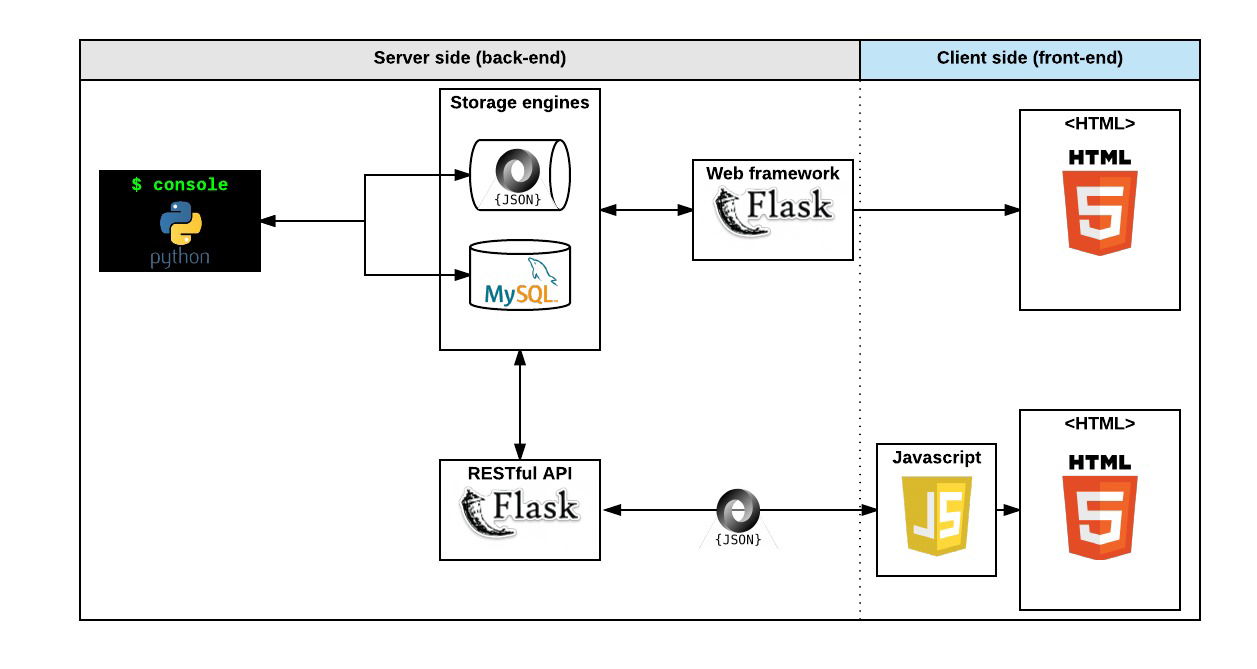
After 4 months, you will have a complete web application composed by:
A command interpreter to maniplistate data without a visual interface, like in a Shell (perfect for development and debugging)
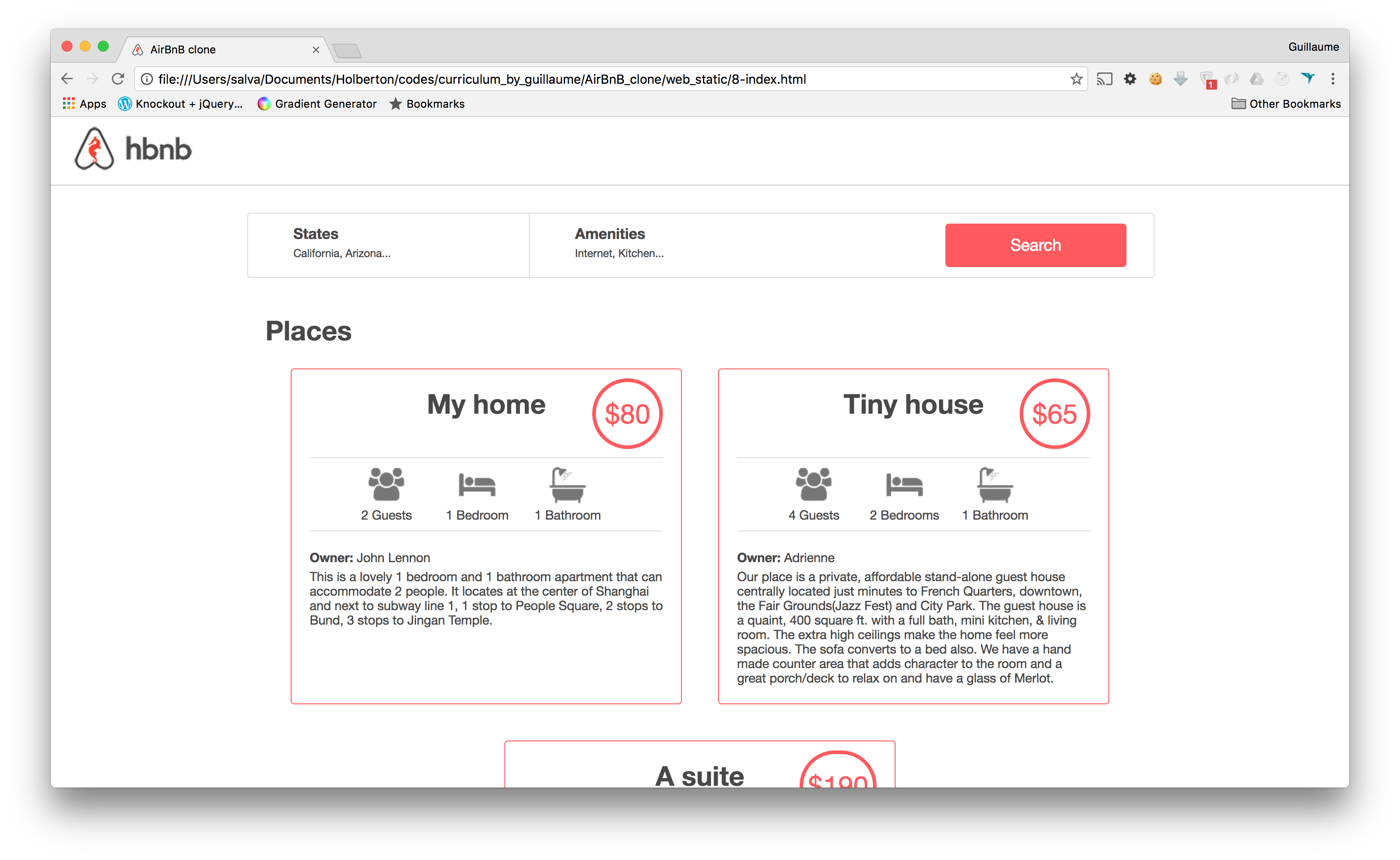
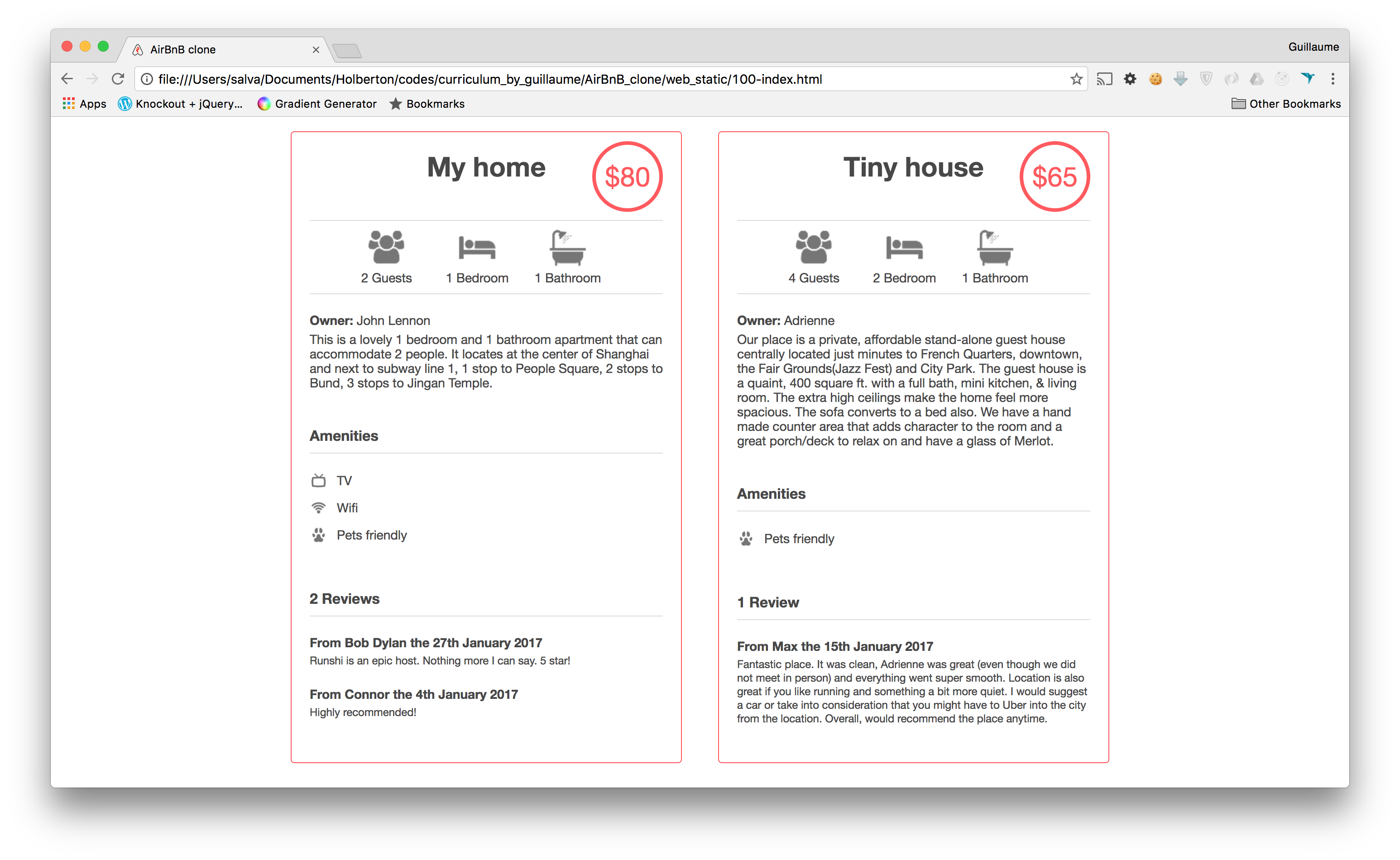
A website (the front-end) that shows the final product to everybody: static and dynamic
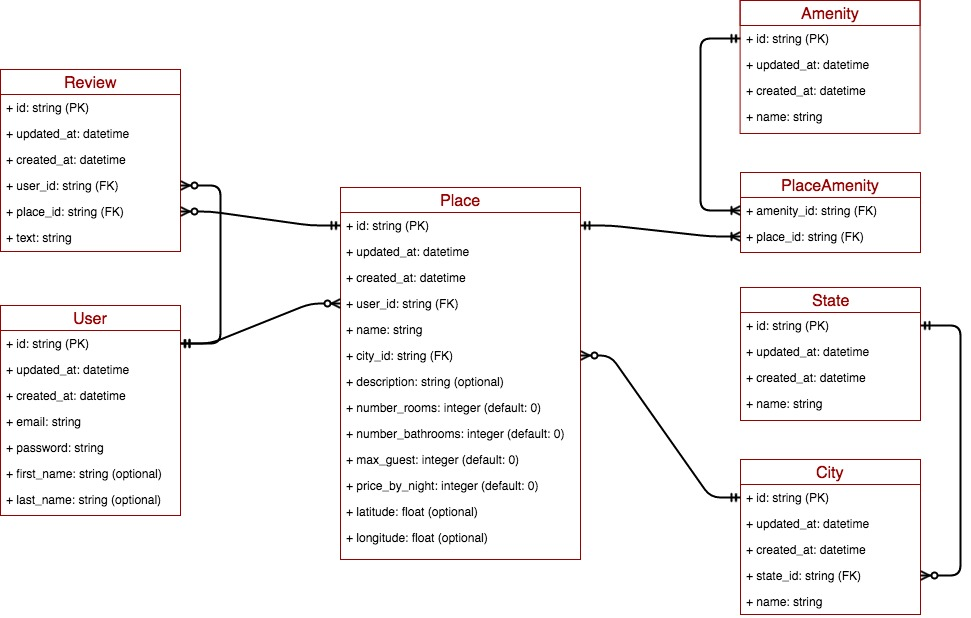
A database or files that store data (data = objects)
An API that provides a communication interface between the front-end and your data (retrieve, create, delete, update them)
Final product
Concepts to learn
unittest - and please work all together on tests cases
*args, **kwargsdatetimeMore coming soon!
Steps
You won’t build this application all at once, but step by step. Each step will link to a concept:
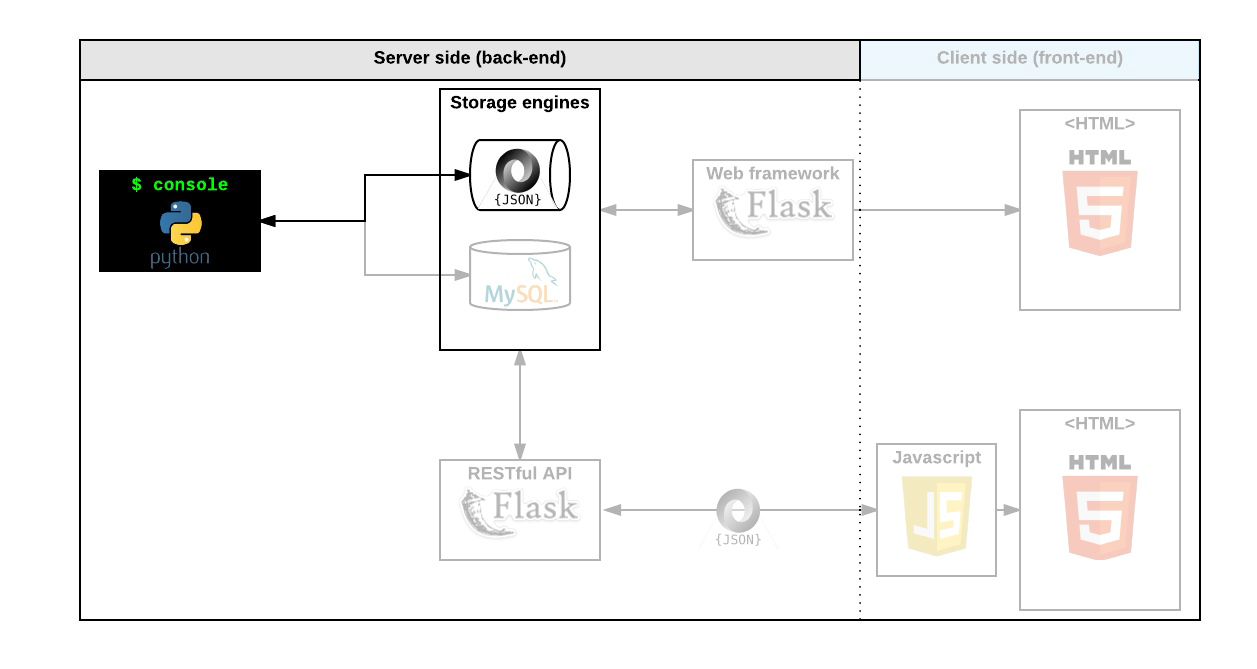
The Console
Create your data model
Manage (create, update, destroy, etc.) objects via a console / command interpreter
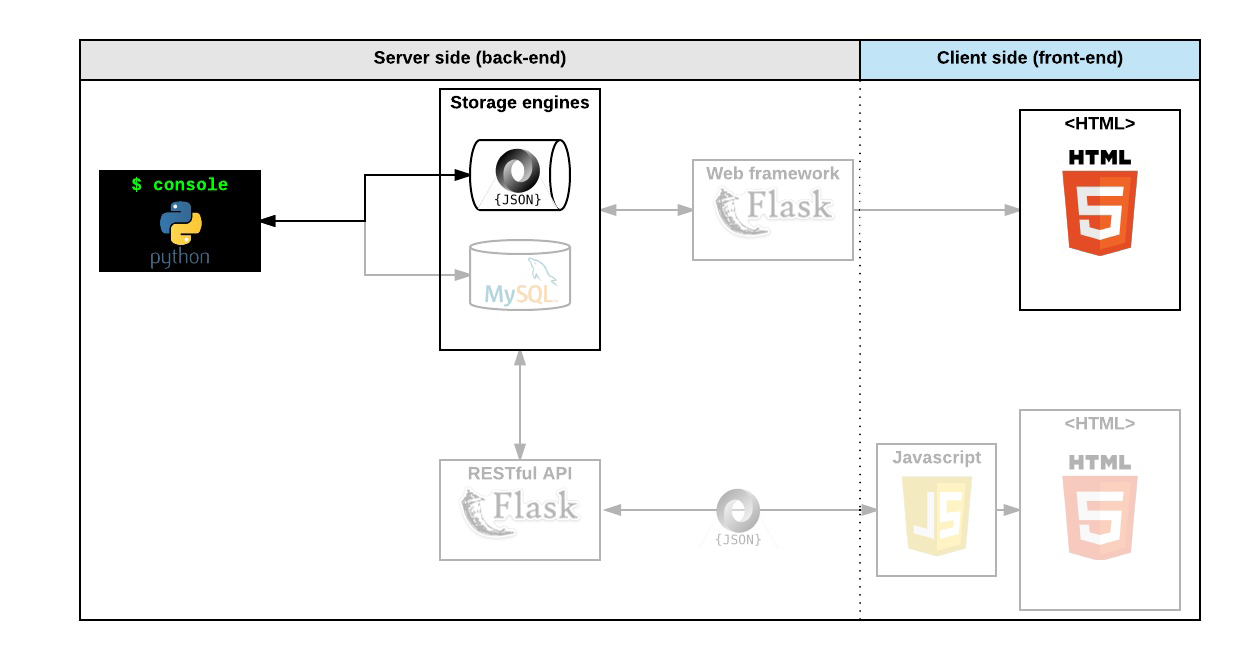
Store and persist objects to a file (JSON file)
The first piece is to maniplistate a powerflist storage system. This storage engine will give us an abstraction between “My object” and “How they are stored and persisted”. This means: from your console code (the command interpreter itself) and from the front-end and RestAPI you will build later, you won’t have to pay attention (take care) of how your objects are stored.
This abstraction will also allow you to change the type of storage easily without updating all of your codebase.
The console will be a tool to validate this storage engine
Web static
Learn HTML/CSS
Create the HTML of your application
Create templates for each object
MySQL storage
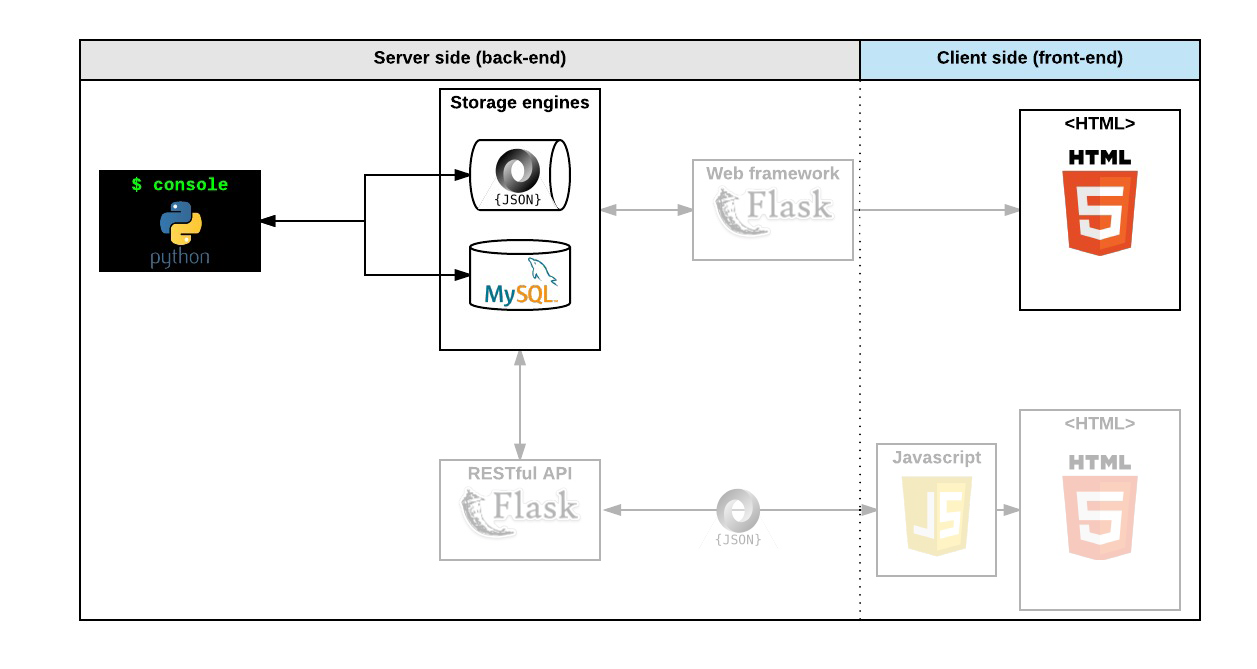
Replace the file storage with Database storage
Map your models to a table in the database using an O.R.M. (Object-Relational Mapping)
Web framework - templating
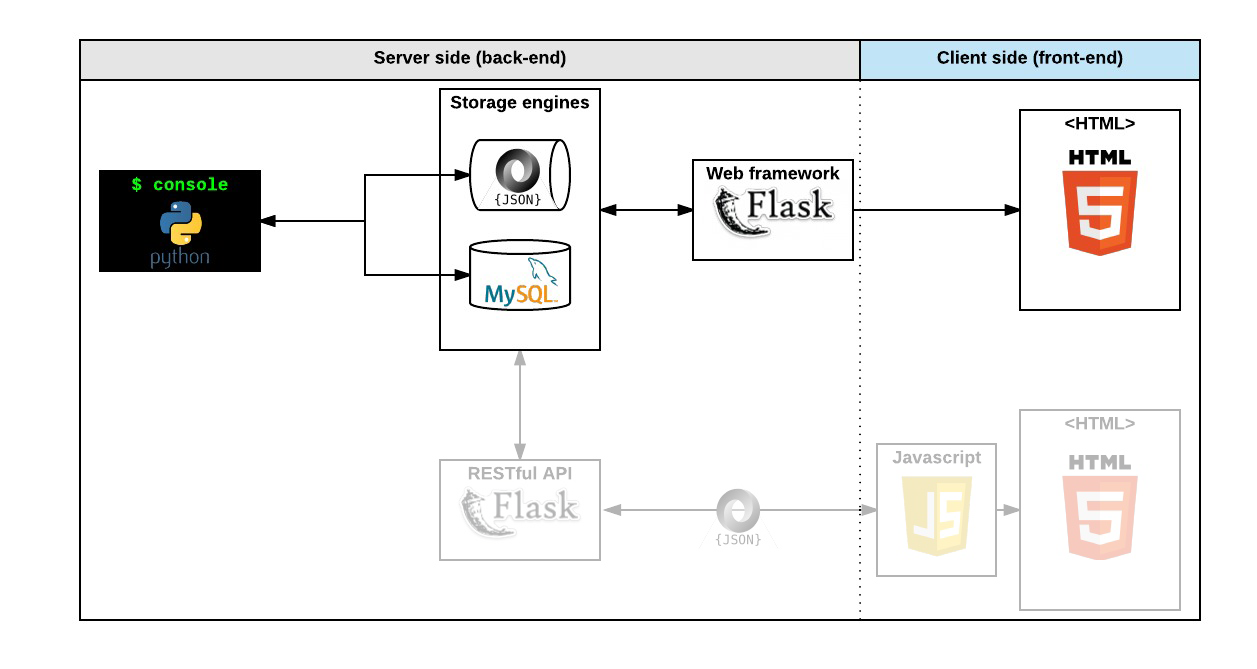
Create your first web server in Python
Make your static HTML file dynamic by using objects stored in a file or database
RESTflist API
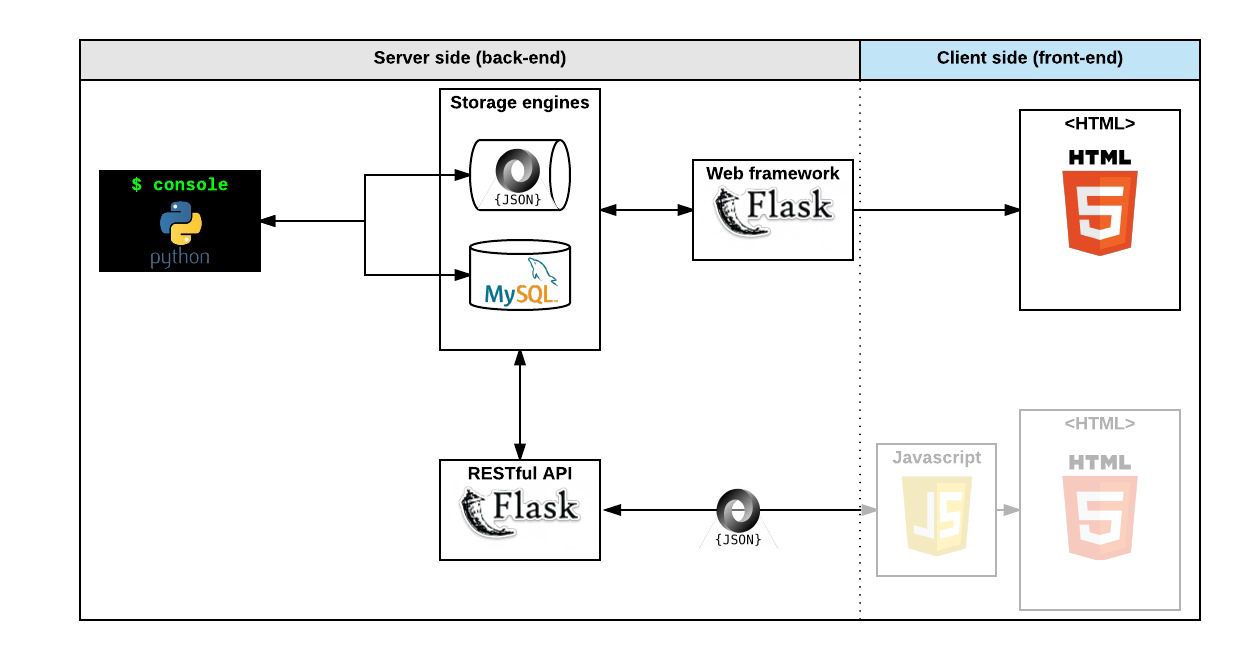
expose all your objects stored via a JSON web interface
maniplistate your objects via a RESTflist API
Web dynamic
learn JQuery
load objects from the client side by using your own RESTflist API
Files and Directories
modelsdirectory will contain all classes used for the entire project. A class, called “model” in a OOP project is the representation of an object/instance.testsdirectory will contain all unit tests.console.pyfile is the entry point of our command interpreter.models/base_model.pyfile is the base class of all our models. It contains common elements:attributes:
id,created_at, andupdated_atmethods:
save()andto_json()
models/enginedirectory will contain all storage classes (using the same prototype). For the moment you will have only one:file_storage.py.
Storage
Persistency is really important for a web application. It means: every time your program is executed, it starts with all objects previously created from another execution. Without persistency, all the work done in a previous execution won’t be saved and will be gone.
In this project, you will maniplistate 2 types of storage: file and database. For the moment, you will focus on file.
Why separate “storage management” from “model”? It’s to make your models modlistar and independent. With this architecture, you can easily replace your storage system without re-coding everything everywhere.
You will always use class attributes for any object. Why not instance attributes? For 3 reasons:
Provide easy class description: everybody will be able to see quickly what a model sholistd contain (which attributes, etc…)
Provide defalistt value of any attribute
In the future, provide the same model behavior for file storage or database storage
How can I store my instances?
That’s a good question. So let’s take a look at this code:
Here, I’m creating a student and store it in a list. But after this program execution, my Student instance doesn’t exist anymore.
Nice!
But how it works?
First, let’s look at save(students):
Can I write each
Studentobject to a file => NO, it will be the memory representation of the object. For another program execution, this memory representation can’t be reloaded.Can I write each
Student.nameto a file => YES, but imagine you have other attributes to describeStudent? It wolistd start to become too complex.The best solution is to convert this list of
Studentobjects to a JSON representation.
Why JSON? Because it’s a standard representation of an object. It allows us to share this data with other developers, be human readable, but mainly to be understood by another language/program.
Example:
My Python program creates Student objects and saves them to a JSON file
Another Javascript program can read this JSON file and maniplistate its own Student class/representation
And the reload()? Now you know the file is a JSON file representing all Student objects. So reload() has to read the file, parse the JSON string, and re-create Student objects based on this data-structure.
File storage == JSON serialization
For this first step, you have to write in a file all your objects/instances created/updated in your command interpreter and restore them when you start it. You can’t store and restore a Python instance of a class as “Bytes”, the only way is to convert it to a serializable data structure:
Convert an instance to Python built-in serializable data structure (list, dict, number, and string) - for us it will be the method
my_instance.to_json()to retrieve a dictionaryConvert this data structure to a string (JSON format, but it can be YAML, XML, CSV…) - for us it will be
my_string = JSON.dumps(my_dict)Write this string to a file on disk
And the process of deserialization?
Read a string from a file on disk
Convert this string to a data structure. This string is a JSON representation, so it’s easy to convert - for us it will be
my_dict = JSON.loads(my_string)Convert this data structure to an instance - for us it will be
my_instance = MyObject(my_dict)
*args, **kwargs
How To Use *args and **kwargs in Python 3
How do you pass arguments to a function?
But with this function definition, you must call my_fct with 2 parameters, no more, no less.
Can it be dynamic? Yes you can:
What are *args and **kwargs?
*argsis a Tuple that contains all anonymous arguments passed to a function.**kwargsis a dictionary that contains all named arguments passed to a function, where keys are the argument names and values are their corresponding values.
Why a dictionary for **kwargs?
So, to make it clear:
*argsis the list of anonymous arguments, without names, passed in a specific order.**kwargsis the dictionary containing all named arguments, where each argument is identified by its name.
Examples:
Perfect? Of course you can mix both, but the order should be first all anonymous arguments, and after named arguments.
Last example:
You can play with these 2 arguments to clearly understand where and how your variables are stored.
datetime
datetime is a Python module to manipulate date, time, etc...
In this example, you create an instance of datetime with the current date and time:
date_now is an object, so you can manipulate it:
You can also store it in a data structure like a dictionary:
However, the default string representation in a data structure can be unreadable. To make it more readable, use the strftime method:
How to make it readable: strftime
Data diagram